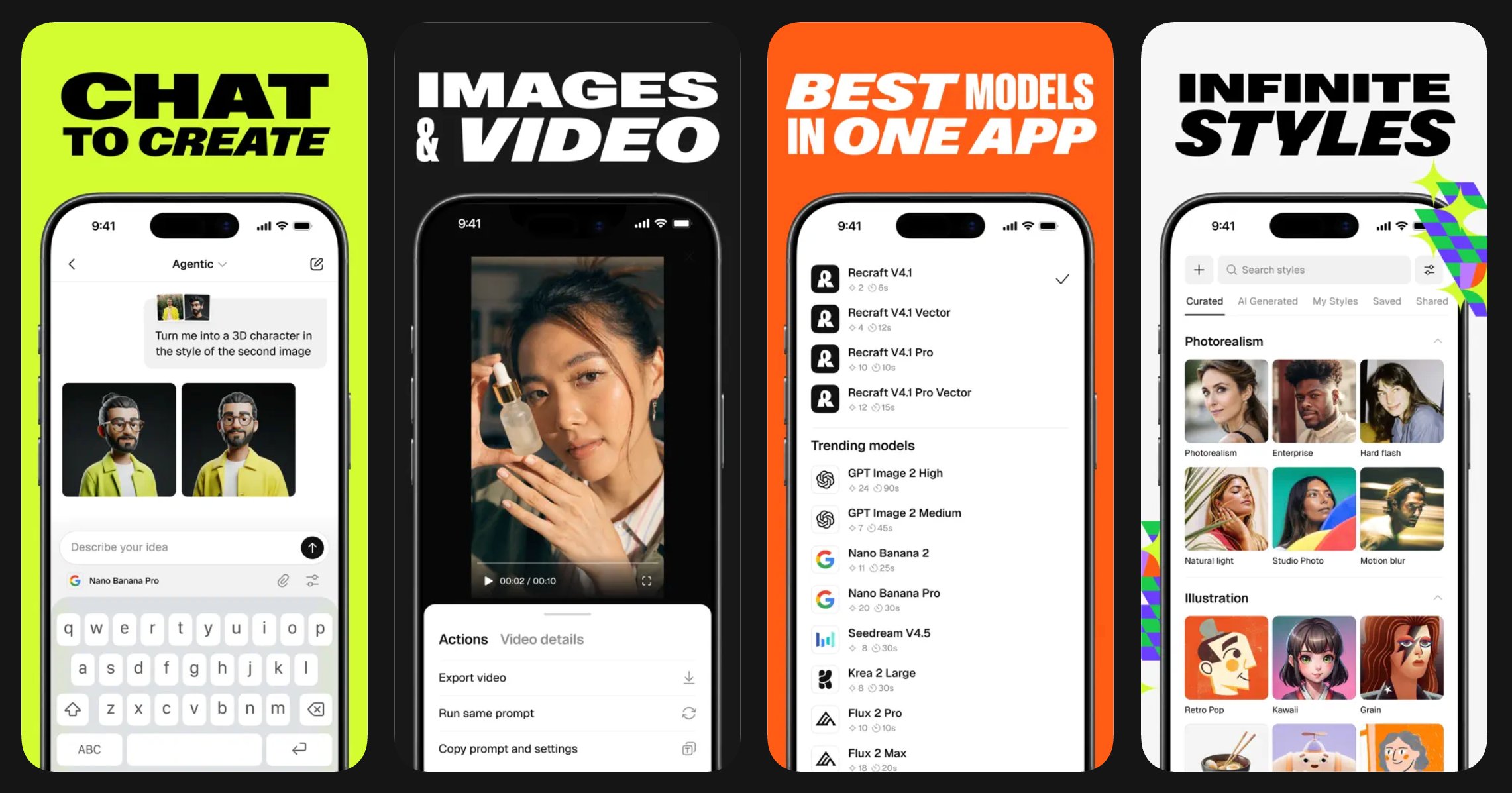
Recraft is available on iOS and Android. Your account, projects, styles, and credits sync automatically across the mobile app and the web.
Image
Download the app Requirements iOS and iPadOS 17.6 or later. Android 8.0 or later. Sign in Open the app and sign in using the same method you use on the web — email, Google, or Apple. No password is required. If you sign in with email, you’ll receive a one-time code to complete sign-in. Your credits and projects will be available immediately. Generate an image Type a prompt in the prompt field and tap the generate button. Your image appears on screen in a few seconds. Tap any result to view, save, or continue editing. Generation modes Two modes are available: Agentic mode — An LLM-powered assistant understands context across multiple turns and optimizes settings automatically. Best for exploring ideas and iterating through conversation. Manual mode — Full control over every parameter, including model, style, aspect ratio, and artistic level. Best for precise, repeatable results. You can switch between modes at any time from the prompt panel. Models and styles The mobile app gives you access to all models available in Recraft Studio, including Recraft V4, Nano Banana, GPT Image, Seedream, and Flux. To select a model or style, tap the Style button above the prompt panel. Reference images You can attach images from your camera roll to guide generation. Tap the image icon in the prompt panel and select a photo. Use references to transform an existing image, build on a sketch, or match a visual style. Video generation Generate videos from a text prompt or from an image. Supported models include Kling, Veo, and Grok. Tap the video icon in the prompt panel to switch to video mode. You can control duration and keyframes for more precise results. Video generation is available to paid subscribers. Continue on desktop All projects you create on mobile are saved to your account and available in Recraft Studio on the web. Open any project on desktop to access the full toolkit, including the canvas editor, frames, mockups, and advanced editing tools. Plans and credits Your plan and credits are shared between the mobile app and the web. Free users receive 30 credits per day, which reset every 24 hours. Paid plan credits reset monthly. You can purchase a paid plan or top up credits directly from the app. Top-up credits never expire. For more about plans, see Paid plans.