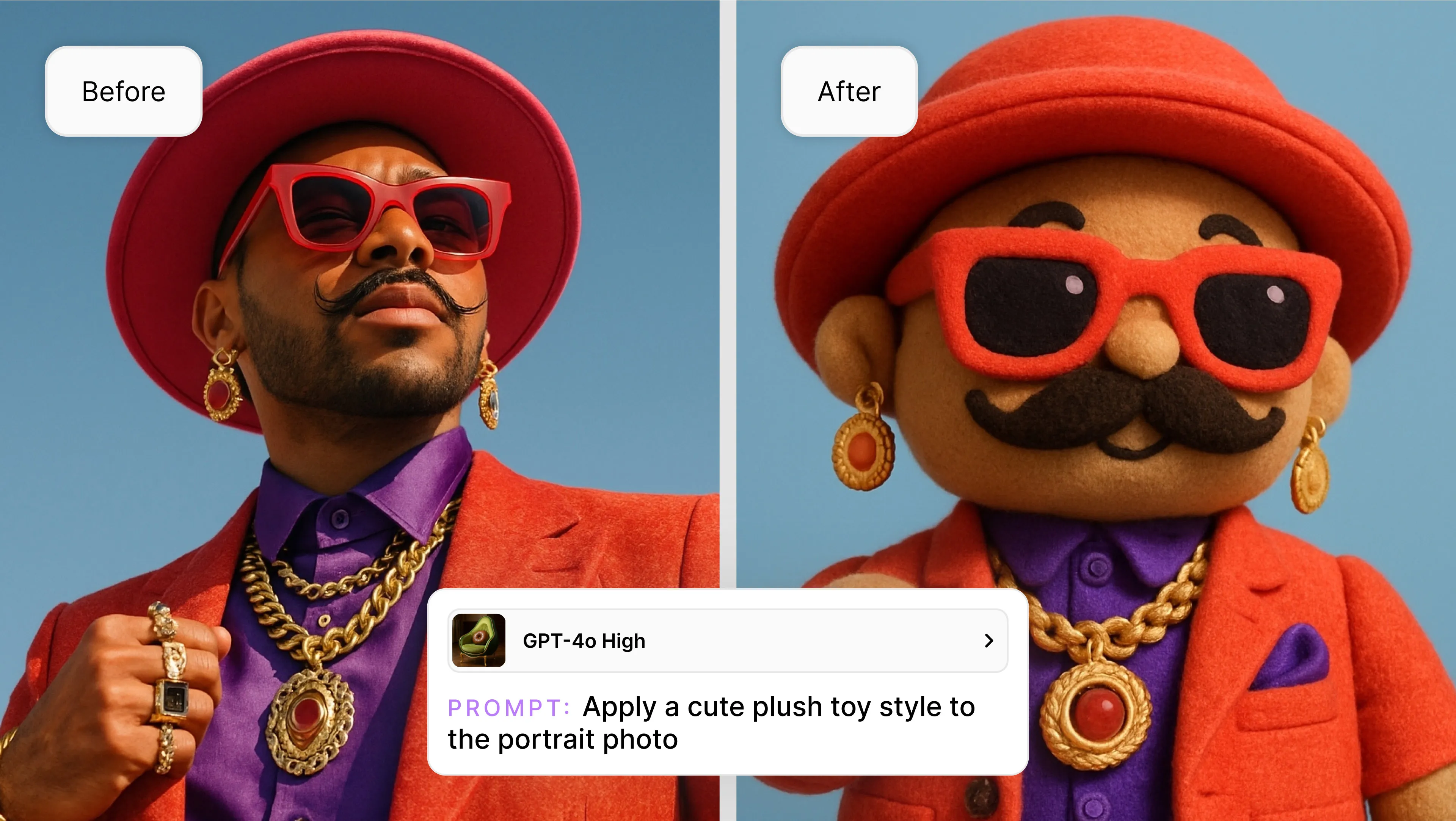
Now you can refine, restyle, and iterate on AI images with unprecedented control — all through powerful and simple natural language editing.
Recraft is evolving! Starting this week, we’re introducing the most advanced and impressive way to work with your images: Natural language editing powered by leading external models, including GPT-4o and Flux Kontext.
This launch is a step forward in helping fellow designers take control of their creative process by enabling them to refine and iterate on imagery with more flexibility and accuracy.
Why we’re releasing this
We’ve been listening to what designers want more of: tighter control, quicker iteration, and consistent results. Generative AI has revolutionized image creation, but editing those images, especially for professional or brand work, has been limited.
With natural language editing, you can now simply describe what you want to change — like add sunglasses to the model, make the scene look like winter, change the jacket to a hoodie, or turn the cat into a tiger (but keep the vibe) — and you can do it with words, reference images, or both. Recraft will update the image accordingly, giving you infinite possibilities without the need to regenerate from scratch.
Whether it’s refining product visuals, tweaking brand assets, or just unleashing some creative energy, this feature turns Recraft into your favorite new AI editing tool.
What natural language editing unlocks in Recraft:
Smarter, model-powered editing with GPT-4o and Flux for higher-quality, context-aware results.
Visual consistency - maintain styles, characters, and brand identity across images
Targeted control - add, remove, or refine just one part of an image without starting over
Style guidance - reference other images to matching lighting, mood, color, or composition
10x your workflow: product photography (without reshoots!), on-brand creative for social media, storyboarding with consistent characters, quick A/B image testing, and more
How to get started
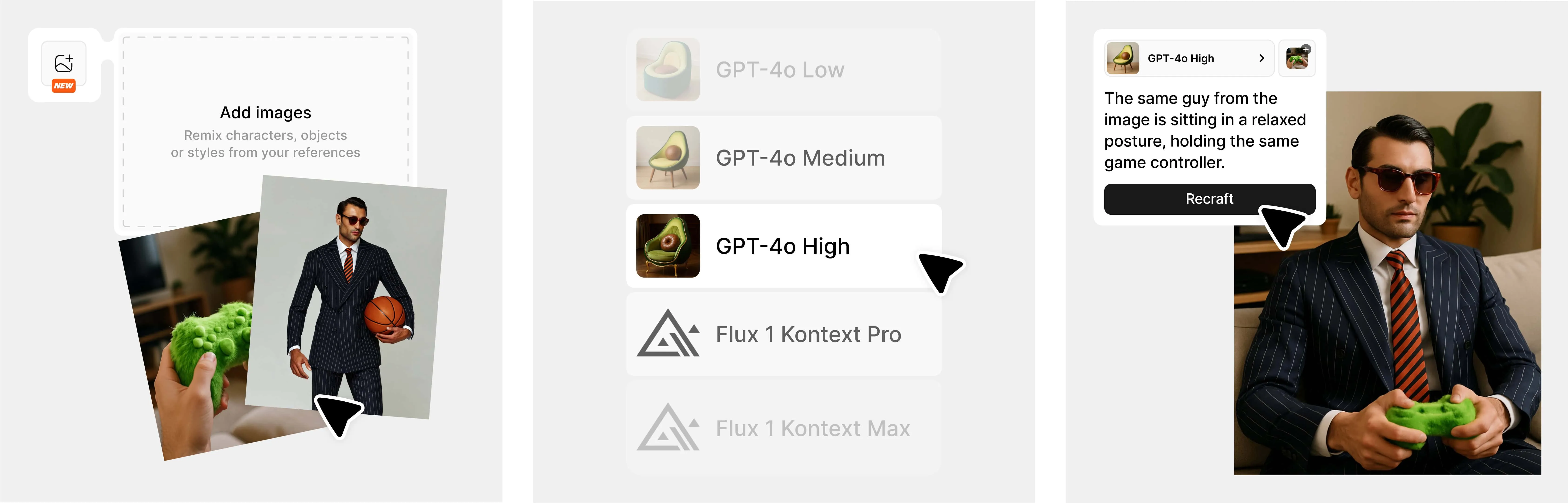
Editing your images using prompts is easy, here’s how:
Import or upload an image, or generate a new image
Choose from GPT-4o (Low, Medium, or High) or Flux Kontext (Pro or Max) models
Prompt to edit, i.e., “Add sunglasses,” “Make this look like an oil painting,” or “Turn this into a winter version”
Optional: upload additional image(s)* to serve as context (style, character, pattern, etc.) for your editing
Repeat as needed with additional prompts and/or other reference images
*The image upload limit for GPT-4o is 4, and Flux is 1.
This new feature gives you the control you deserve with AI image editing. And it’s only the beginning!
Natural language editing is available to all paid Recraft users starting today.
.svg)