Seven AI meme generators compared on free tier, watermark, templates, and API, with the same three memes made in every tool.
The best AI meme generator in 2026 is the one that matches the joke you already have: Imgflip for classic templates, Supermeme.ai for idea-to-caption, Recraft or ChatGPT for original images, Kapwing for video and GIF, and Canva when the meme has to land inside a layout.
There is no universal winner, so the comparison below is organized by the job each tool does best.
How we compared seven AI meme generators
We scored each tool on the same six fields: free tier, watermark, templates, caption rendering, export sizes, and API. We also ran the same three briefs in every product we could open:
Classic reaction: Drake-style yes/no, captions "writing the caption first" and "generating the image first."
Workplace joke: a meeting that should have been a Slack message.
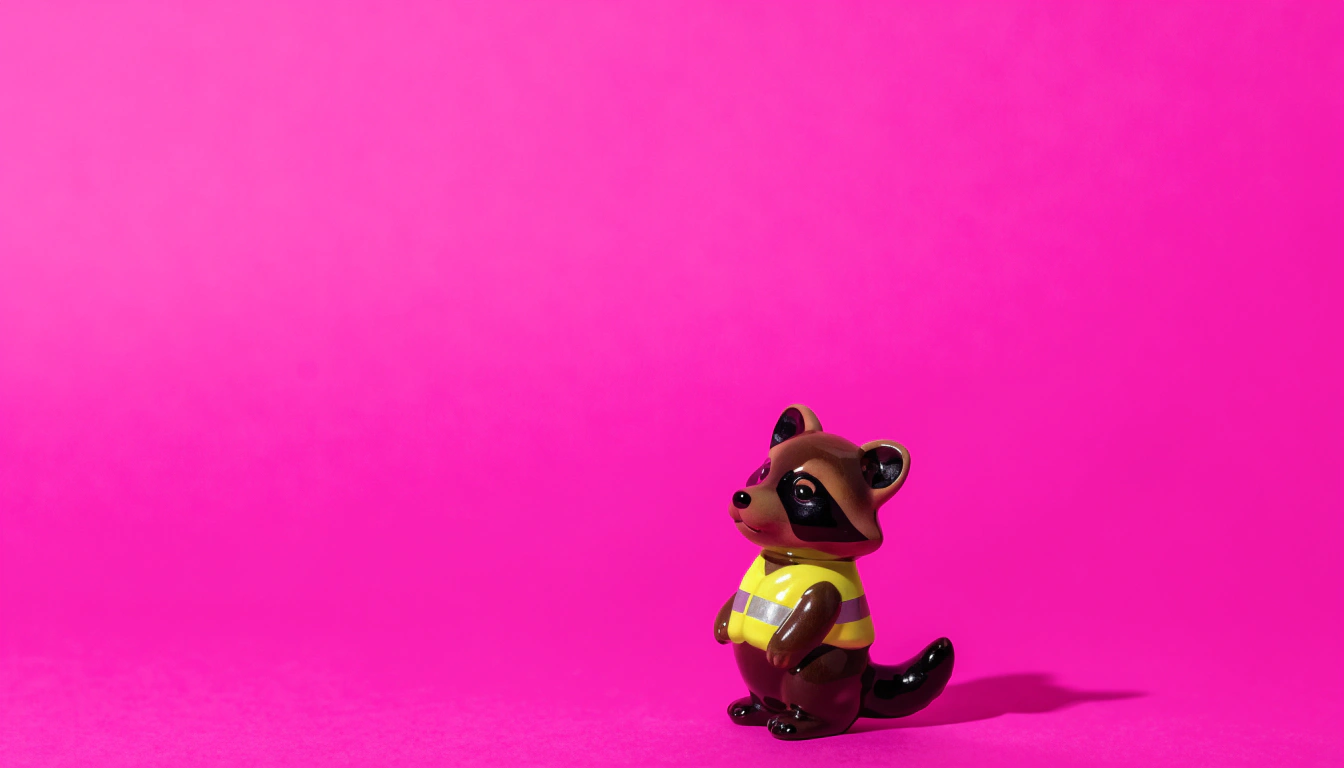
Original scene: a raccoon in a tiny high-vis vest staring at a laptop at 2 a.m.
Where a tool had no classic template, we generated the scene from a prompt and added Impact-style text ourselves. We did not score funniness. Humor is yours. We scored whether the file was usable.
AI meme generator comparison table
Sources: vendor pages as of November 2026, including Imgflip, Canva AI Meme, Supermeme.ai, Recraft memes, Kapwing meme maker, OpenAI Images, and Magic Hour. Plans change; recheck watermark and commercial terms before a client post.
Tool
Free tier
Watermark
Templates
Caption rendering
Export sizes
API
Imgflip
Yes, ads on free
Free GIF and some HD paths limited; Premium removes ads and raises GIF caps
Thousands of classic templates plus upload
Manual Impact-style boxes plus optional AI caption
Original resolution option when logged in; free GIF max 360x360
Yes (caption, automeme, AI meme; Premium for no_watermark)
Canva
Yes (Free, Pro, Teams)
No Canva logo on standard Free downloads of your design
Huge template library plus Magic Media / Dream Lab styles
Full editor: fonts, stickers, Brand Kit on Pro
Magic Resize for Instagram, TikTok, X, and more
Canva Apps / Connect, not a dedicated meme endpoint
Supermeme.ai
10 credits/month, no card
Yes on free downloads
AI matches your idea to templates
AI writes captions you can edit and move
Square, portrait, landscape
Yes (meme API on paid plans)
Recraft
Daily free generations (tool page: up to 30 images/day)
No Recraft mark on the download
No classic meme pack; you generate an original still
You add caption in the editor; typography is yours
PNG or JPG; custom canvas, not only 1:1
Yes (image generate/edit; billed in API Units)
Kapwing
Yes
Watermark on Free exports; Pro removes it
2,000+ image, GIF, and video templates
100+ text styles, layers, timing on video
JPEG, GIF, MP4; social presets
No public meme REST API
ChatGPT (GPT Image)
Limited on Free; Plus/Pro for heavier image use
No ChatGPT logo on the image file
None; you describe the format
Text-in-image is strong, but placement is not a dedicated caption layer
Square and landscape image files; you crop later
Yes (Images API)
Magic Hour
No sign-up path advertised
Check current export; product page pushes free generation
Prompt-first, not a template browser
Captions often baked into the generated frame
Web download; confirm pixels before you post
Not a documented public meme API
Verdict by job
Classic template, five minutes, no brand risk beyond the format itself: Imgflip. The AI caption button is extra. The product is the template grid and the Impact stack.
Idea in, eight options out: Supermeme.ai. You describe the situation. It picks templates and writes captions. Free downloads carry a small watermark (Supermeme's own FAQ). Paid plans and the API exist if you ship memes on a schedule.
Original image, not someone else's still: Recraft or ChatGPT. Recraft is built for stills you caption yourself and for files you will reuse in a set. ChatGPT is better when the joke is a fake screenshot or a panel that needs readable in-image type. Recraft's honest limit: it is not a Drake/Expanding Brain library. If you need that format tonight, open Imgflip.
Video, GIF, or a 15-second cut: Kapwing. Templates include motion. Free exports watermark. There is no public REST meme API.
The meme has to live inside a carousel or a Brand Kit: Canva. You trade meme-native speed for layout, resize, and fonts you already use.
No account, one throwaway image: Magic Hour. Treat it as a prompt toy, then move the joke into a tool you can edit.
The same three memes in every tool
We kept the captions identical so the comparison was the file, not the joke.
Brief 1, Drake yes/no
Imgflip and Kapwing dropped the format in one click. Supermeme often picked Drake or a close cousin from the prompt. Canva needed a template search or a generated still plus two text boxes. Recraft, ChatGPT, and Magic Hour invented a new two-panel image. Those looked like original comics, not the meme people already know. That is a feature if you want a fresh still. It is a miss if the joke depends on the existing format.
Brief 2, the meeting that should have been Slack
Supermeme won on speed: several captioned options, editable type. Imgflip needed you to pick a face (this is where AI caption helps, and where it also writes a line you will rewrite). Recraft and ChatGPT produced original office scenes. Recraft's type sat as a separate overlay, so we could kern it. ChatGPT baked letters into pixels; a typo meant another generation. Kapwing and Canva made the joke look like a social post, which is right for LinkedIn and wrong for a group chat.
Brief 3, raccoon in a high-vis vest
Recraft and ChatGPT were the only tools that treated this as the actual job. Template tools had nothing to match, so they stretched a tired reaction image under new text. Magic Hour generated a scene but left caption placement to luck. Recraft's limit showed up here too: the image can be too polished for a meme that should look like it was saved off a flip phone. If you want that grit, add JPEG degrade in Imgflip or crush the export yourself.
If you also make channel stickers or chat assets, the same "read at tiny size" rule as how to make Twitch emotes applies: test the file at the size it will actually appear.
Recraft as one row, with limits
Recraft's meme generator is an original-image tool with a caption step, not a template mill. You describe a scene, generate stills (the marketing page notes up to six at once), add text, download PNG or JPG.
Limits to name out loud:
No Drake, Distracted Boyfriend, or Expanding Brain pack. You make the picture.
Free-plan images are Recraft-owned, may appear in the community gallery, and are not cleared for commercial use. Paid plans grant ownership and commercial rights (Recraft pricing and free-plan docs).
The API generates and edits images. It does not expose "pick template 112233."
Caption quality is on you. That is better than a model writing a punchline you would never say. It is slower than Supermeme.
If you need vectors, style lock, or a set that matches, use the same studio you would for any other still. For a wider model comparison, see best AI image generators in 2026.
How to pick in 30 seconds
Does the joke need a format people already know? Imgflip (or Kapwing if it moves).
Do you have a situation and no template in mind? Supermeme.ai.
Do you need an original character or a scene that does not exist as a stock still? Recraft or ChatGPT.
Does it ship inside a Canva doc? Stay in Canva.
Will it run from code? Imgflip API, Supermeme API, Recraft API, or OpenAI Images. Not Kapwing.
Check watermark, commercial rights, and whether the template itself is someone else's photo before you put a logo on it. Most classic formats are other people's pictures.
When you want an original still instead of another Drake panel, open Recraft's meme generator and write the caption after you like the frame.
FAQs
What is the best AI meme generator?
There is no single best AI meme generator. Use Imgflip for classic templates, Supermeme.ai when you have a situation and need captions, Recraft or ChatGPT for original stills, Kapwing for video and GIF, and Canva when the meme has to live in a layout.
Pick the tool that matches the format of the joke, then check watermark and commercial rights on the plan you will actually use.
Are AI meme generators free?
Most of the seven tools in this comparison have a free tier. Limits differ: Imgflip is ad-supported, Supermeme.ai gives 10 credits a month, Recraft offers daily free generations, Kapwing watermarks Free exports, and Canva includes AI meme generation on Free.
Commercial rights, watermark removal, and API access usually sit on paid plans. Recraft free-plan images are not cleared for commercial use.
Do AI meme generators put a watermark on downloads?
Some do. Supermeme.ai watermarks free downloads. Kapwing watermarks Free exports until Pro. Imgflip limits free GIF size and ads rather than stamping every still. Recraft and Canva do not add a product logo to a standard still download.
Always inspect the file before you post. Watermark policy is a plan setting, not a forever promise.
Can I use AI memes commercially?
Only if your plan grants commercial rights and the underlying photo is yours or licensed. Classic templates are often other people's pictures. Recraft paid plans grant ownership of generated images; the free plan does not.
Canva states AI memes can be used commercially with non-exclusive rights and extra caveats for trademarks. Read the current terms before a paid campaign.
What is the difference between a template meme generator and an AI image meme generator?
A template generator (Imgflip, Kapwing, Supermeme) drops your caption onto a format people already know. An AI image generator (Recraft, ChatGPT, Magic Hour) makes a new still, then you add type.
Use templates when the joke needs Drake or Distracted Boyfriend. Use original images when the scene does not exist as a stock still.