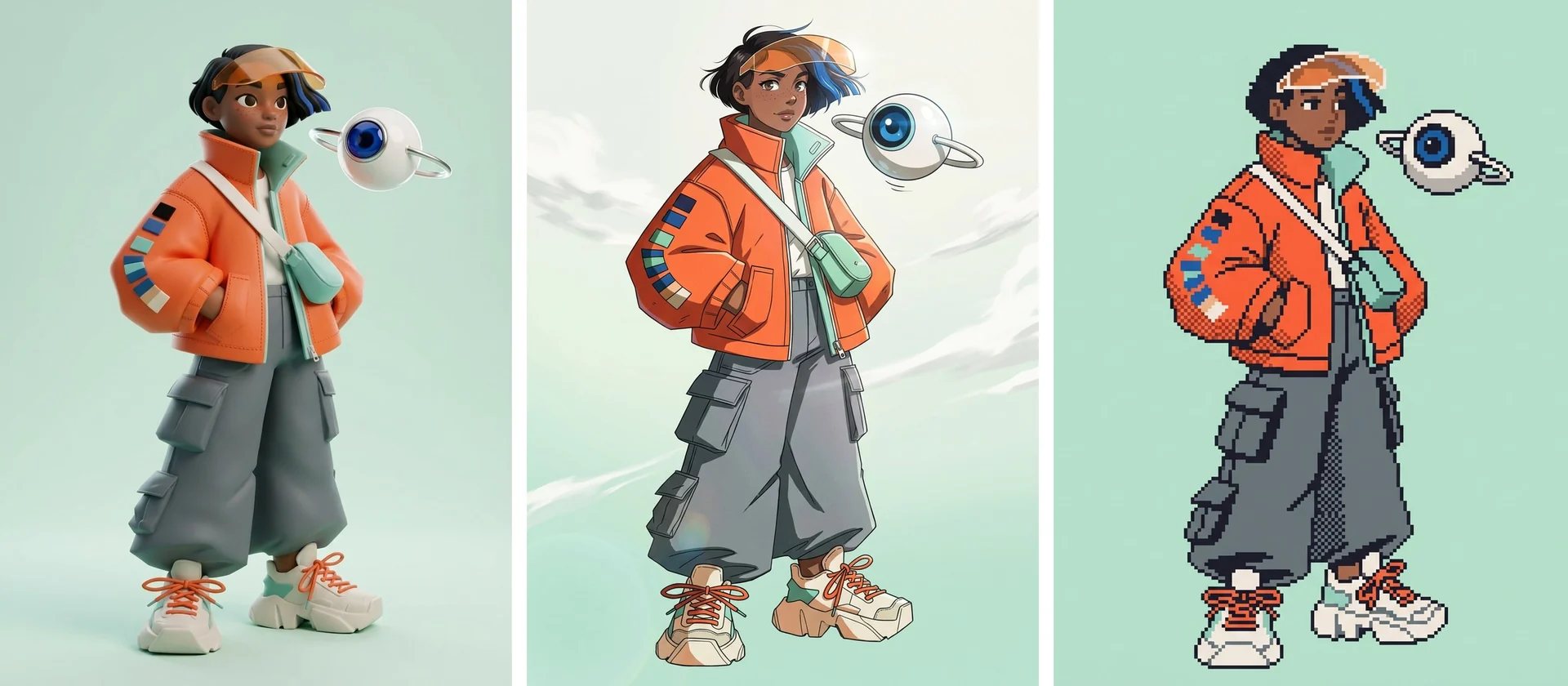
Run the art style challenge on your own character: a 3D toy, an anime key visual, and a pixel sprite, all generated from one hero image in Recraft Studio.
Character Design in Recraft, Part 3
Artists call it the art style challenge: draw the same character in six or nine styles and see what survives. It is a good test of a design. If your character in different art styles stops looking like the same person, the design depends on the rendering, not on its shapes and colors.
This guide runs the challenge in Recraft Studio with our color scout. She becomes a 3D collectible toy, an anime key visual, and a pixel art sprite, each generated from one hero image.
A character in different art styles: what stays fixed
Before you switch styles, decide what is allowed to change. Write it down, because the model will change everything you don't protect.
Stays fixed:
Silhouette: oversized jacket over wide pants
Palette: signal orange, cobalt blue, mint
Signature items: amber visor, swatch patches, crossbody bag
Companion: white sphere drone with a cobalt lens
Can change:
Line quality and outlines
Shading, lighting, and texture
Background and mood
Level of detail
The first list is the character DNA from Part 1. The second list is the style. Every prompt below names both.
What you'll use
Nano Banana 2.1 (Select an image → Edit image, 7 credits per image)
Credit costs as shown in the model picker at the time of writing. Each style below is one Edit image run with the hero attached as image 1.
Step 1: Start from the hero, not from text
Select your hero image on the canvas and open Edit image. The hero is attached as image 1 automatically. If you followed Part 2, you can also attach the turnaround as image 2 to give the model the back and side views.
Describing the character in text alone produces a cousin, not the same person. The reference image carries the face and proportions that text cannot pin down.
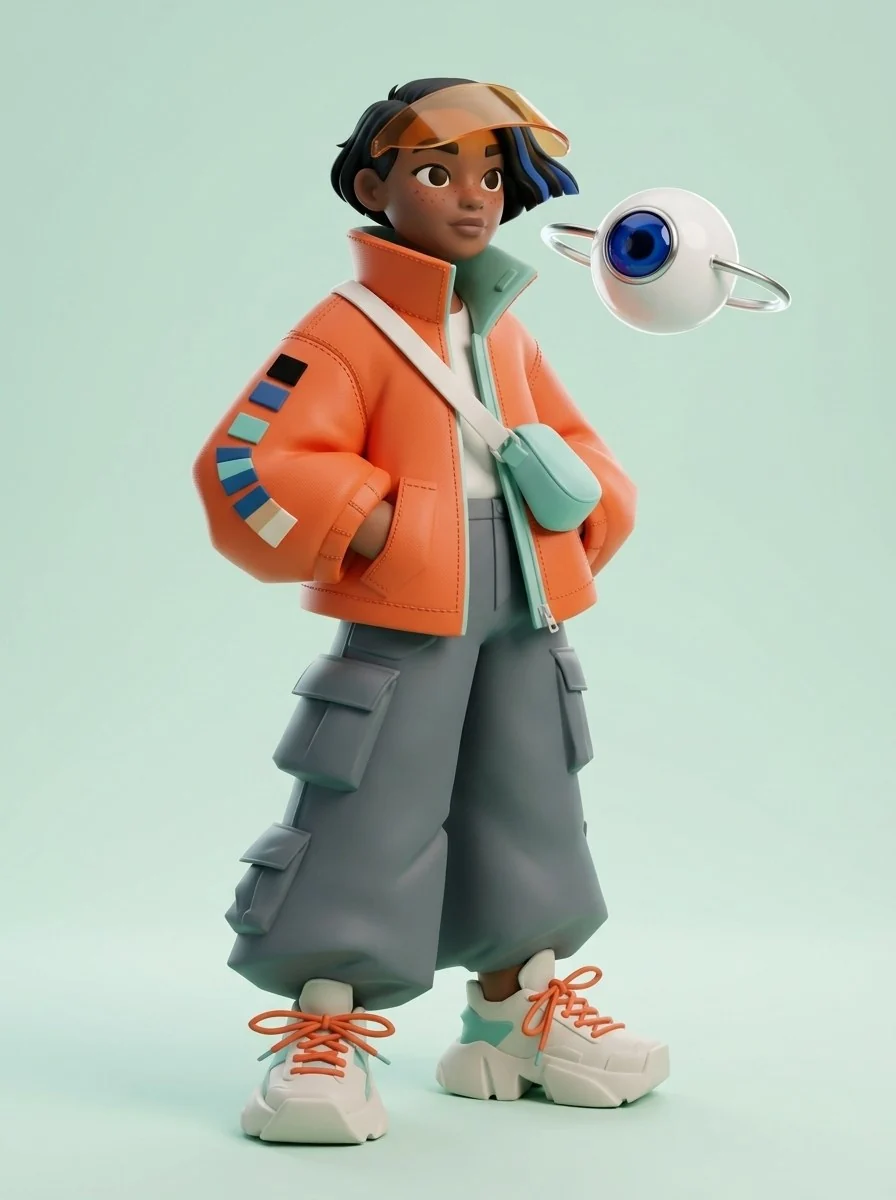
Step 2: Turn the character into a 3D collectible toy
3D is the most forgiving style for identity, because it keeps the volumes of the original drawing. Set the aspect ratio to 3:4.
Restyle the character from image 1 as a 3D designer collectible toy render, keeping her identity, outfit, colors and the floating white drone exactly the same. Slightly stylized proportions with a larger head. Materials: soft-touch matte vinyl skin, nylon-textured signal-orange jacket with stitched seams and small fabric swatch patches, matte graphite cargo pants, rubber off-white sneakers, translucent amber plastic visor, glossy white drone with a cobalt glass lens. Standing on a seamless pale mint studio background with a soft contact shadow. Soft key light from upper left, gentle fill, clean rim light. Front three-quarter camera at chest height. No text.
The toy kept the jacket, the patches, and the visor. Proportions became slightly chunkier, which suits the style and still reads as her.
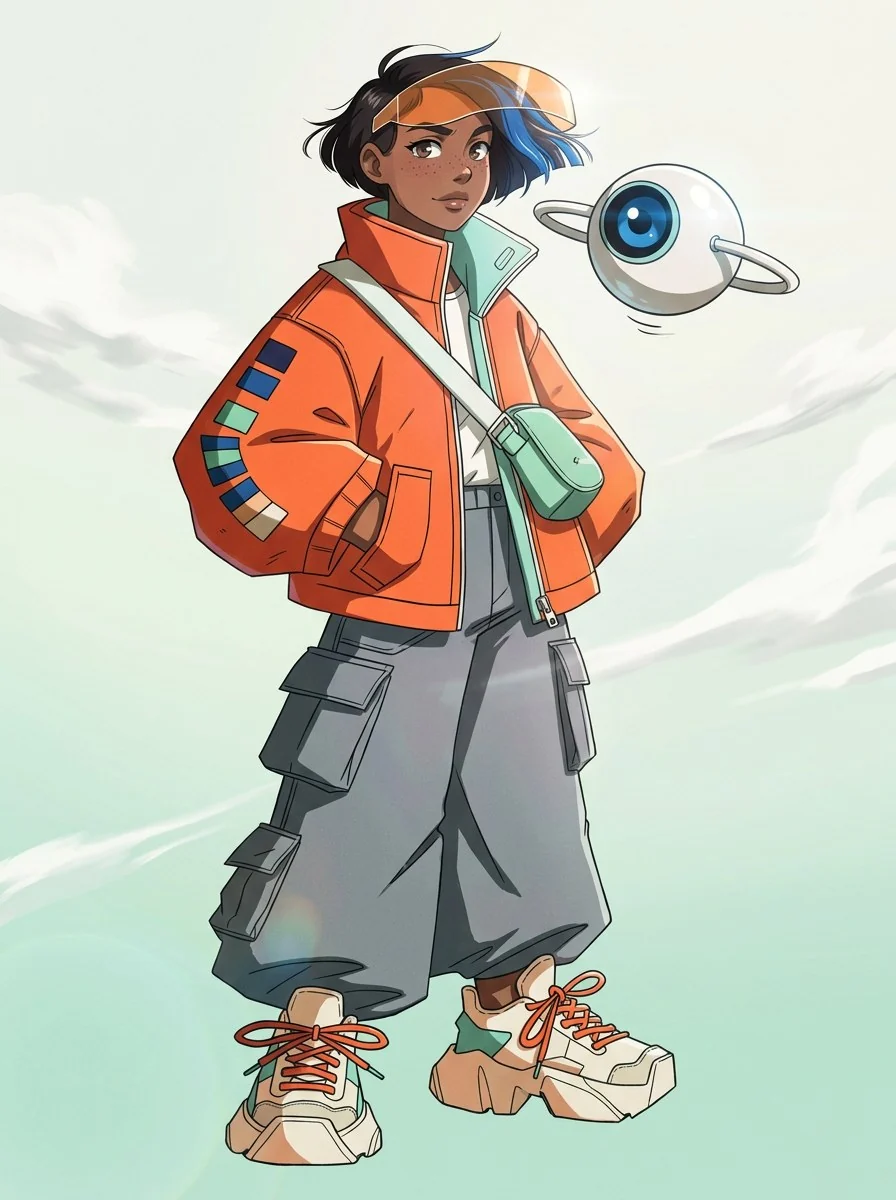
Step 3: Render an anime key visual
Anime rendering tends to restyle faces and push colors toward a cooler, airier palette. Keep the aspect ratio at 3:4 and describe the rendering in concrete terms: line weight, shading, and eyes.
Restyle the character from image 1 as a modern anime key visual frame, keeping her identity, outfit, colors and the floating white drone exactly the same. Clean thin lineart, crisp two-tone cel shading with hard shadow edges, glossy anime eyes with small highlights, wind-blown hair and jacket. Full body, dynamic slight low angle, plain pale sky gradient background from mint to off-white. No text.
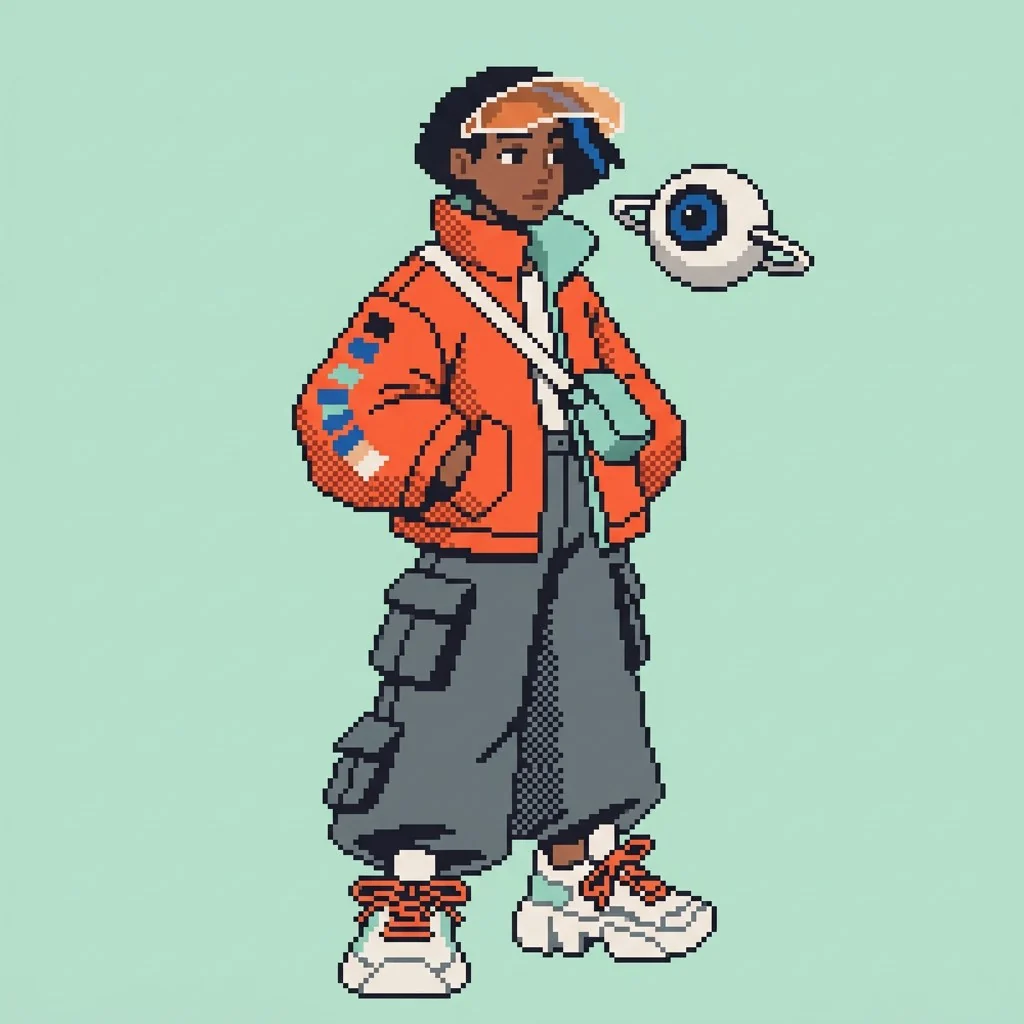
Step 4: Make a pixel art character
A pixel art character is the hardest test, because the grid removes detail. What survives is silhouette and color, which is exactly why it is a good test. Use a 1:1 aspect ratio and build the limited palette from the character's own colors.
Restyle the character from image 1 as a pixel art game sprite, keeping her identity, outfit, palette and the floating white drone recognisable. 64x64 sprite look upscaled with crisp hard pixel edges, one-pixel dark graphite outline, limited 16-color palette built from signal orange, cobalt blue, mint, off-white and graphite, simple dithering on the jacket shading, no anti-aliasing, no blur. Full body idle pose facing right, centered on a flat pale mint background. No text.
At sprite size, the orange jacket, the dark wide pants, and the floating drone carry her identity. Small details like freckles disappear, and that is fine.
Step 5: Run your own art style challenge
Three styles are a start. The style sweep in Part 1 covered twelve, and any of them works as an Edit image prompt: chibi, claymation, watercolor storybook, comic ink, low-poly 3D, or a die-cut sticker.
Check each result against four questions:
Does the silhouette still match the hero?
Is the palette the same, or only similar?
Are the signature items in the right place, on the right side?
Is the companion still the same object?
Two "no" answers mean the style is overriding the design. Strengthen the fixed details in the prompt, or accept that this style is not a good fit for the character.
Troubleshooting
The face changes in anime or chibi styles. Add "keep her face identical to image 1" and attach the expression sheet as a second reference.
Colors drift under stylized lighting. List the palette by name, as the pixel art prompt does.
The style is too weak and looks like the original. Name the medium and two concrete traits, such as "matte vinyl, soft studio lighting".
Details move to the wrong side. Name the side in the prompt: "patches on the left sleeve".
What's next
Styles change how the character is drawn. Part 4: Environment Concept Art builds the world she lives in, in a custom style made from the hero, and places her inside it.
FAQs
Can AI draw the same character in different art styles?
Yes, if you generate from a reference image instead of text alone. In Recraft Studio, select the hero image, open Edit image, and describe the new style while listing the details that must stay fixed.
What is an art style challenge?
An art style challenge is a popular exercise where artists redraw one character in several styles, such as anime, 3D, pixel art, or cartoon. It shows which parts of a design carry its identity.
How do you keep a character recognizable across styles?
Fix the silhouette, the palette, and two or three signature items, and name them in every prompt. Let line quality, shading, and texture change with the style.
How do you make a pixel art character from an illustration?
Attach the illustration as a reference and ask for a pixel art sprite with a limited palette taken from the original, crisp pixel edges, and no gradients. Expect small details to disappear; silhouette and color carry the character.
.svg)